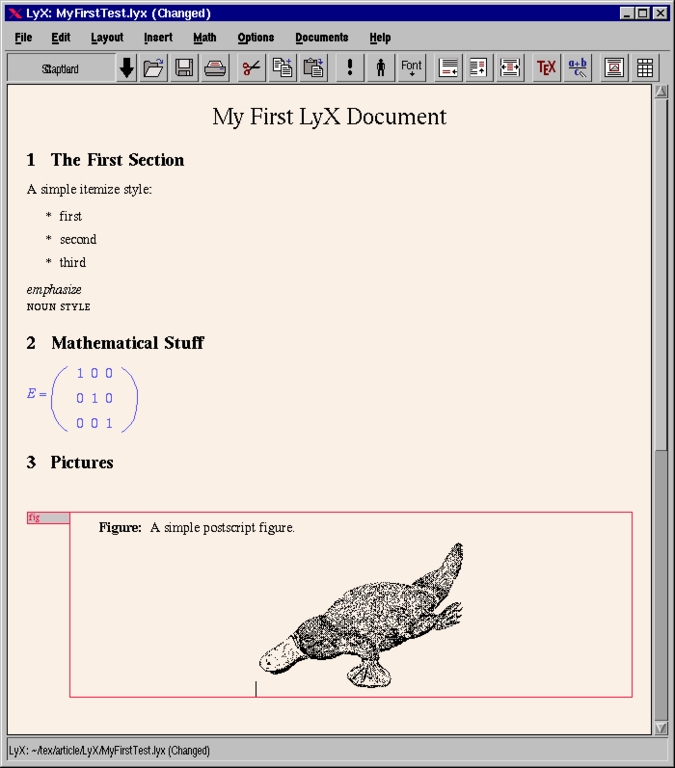
LaTeX gilt seit den 1980er als defakto Standard unter Unix um wissenschaftliche Dokumente zu formatieren. Bersonders bei sehr umfangreichen Dokumenten die ein einheitliches Layout erhalten sollen, hat LaTeX seine Stärke. Trotz der gewöhnungsbedürftigen Syntax gilt es als leicht zu erlernen und lange Zeit gab es keine wirkliche Alternative zu dieser Software.
Seit einiger Zeit hat sich die unscheinbare Typst Software zu einem ernstzunehmenden Ersatz für LaTeX etabliert. Die Syntax von Typst ist ähnlich wie markdown aufgebaut und beinhaltet Kommandos um float-Abbildungen einzufügen, Tabellen zu erstellen, preformatted Text auszugeben sowie eine automatische Gliederung zu erstellen. Die wesentlichen Verbesserungen von typst gegenüber LaTeX sind:
- es benötigt nur 50 MB auf der Festplatte anstatt 5 GB
- die Syntax ist einfacher und logischer
- das Übersetzen einer Typst datei in eine PDF Datei dauert weniger als 1 Sekunde
Der einzige Grund warum Typst bisher LaTeX noch nicht verdrängt hat ist die Gewohnheit der Nutzer. Die LaTeX Community gilt als konservativ und viele nutzen die Software seit den 1980er Jahren also seit über 40 Jahren. Das macht den Wechsel auf eine andere Plattform aufwendig.
Es gibt jedoch einen simplen Trick wie der Umstieg auf typst gelingt. Und zwar mit der selben Methode wie man auf neue Technologie generell wechselt: man löscht die veraltete Software von der Software und gewinnt so Freiraum sich auf etwas neues einzulassen. In Linux lautet der Befehl:
apt remove texlive*
Der Vorteil von typst ist dass das Projekt sehr viel aufgeräumter wirkt. Es fehlen unzählige veraltete Pakete die historisch bedingt sind, stattdessen wurden die meisten features fest in die Software einprogrammiert. Ähnlich wie bei LateX auch haben Neueinsteiger mit einer gewissen Lernkurve zu kämpfen. Man muss sich erstmalig durch die Dokumentation kämpfen um so eine Minimal Datei zu erstellen, welche die gewünschten Layout einstellungen beinhaltet. Man definiert z.b. die Seitengröße A4, legt den gewünschten Systemfont fest, definiert einige Tabellenparameter wie z.b. liniendicke und definiert die Häufigkeit der Silbentrennung. Sind diese vorarbeiten einmal erledigt, kann man die selbe Rumpfdatei nutzen um damit beliebig viele PDF Dokumente zu erstellen. Ähnlich wie bei LaTeX müssen Autoren nur den Text eingeben und die Software rendert die Darstellung auf dem Bildschirm.
Und das macht typst ausgesprochen gut, im Regelfall sind die Abbildungen sinnvoll platziert und auch der Blocksatz sieht halbwegs professionell aus. Die Qualität ist nicht ganz so optimiert wie bei pdflatex, es gibt also durchaus noch Verbesserungsmöglichkeiten. Aktuell ist derzeit die typst version 0.15 vom Juni 2026.
June 18, 2026
Typst als Ersatz für LaTeX
March 06, 2026
The art of academic prompting
In the past, academic papers were written by human scholars. The only technical support was the LaTeX formatting engine released in 1986 and improved over decades. A first attempt to generate academic papers with a context free grammar was made in 2005 based on the Scigen software. But the output quality was poor and such a paper doesn't contain any valuable information.
A more serious attempt to generate a paper with artificial intelligence is a large language model. In theory, such a neural network is more than capable in replacing human authors, the only missing element is an academic prompt. Such a prompt is needed to instruct the LLM to produce high quality output. A simple prompt like "write an arxiv like paper about {topic]" would generate only low quality content and can't compete with a handwritten papers. A much better prompt is given here:
Create a Luhmann zettelkasten, each notecard has a title, a luhmann id and short keypoints. Make sure that the zettelkasten consists of overall 1000 index cards. If this large amount of content can't be created in a single step, delegate the task to multiple instances of Large language models. if the zettekasten was created convert the index cards into an academic paper. The overall topic is [topic].
Such kind of prompt will emulate the chaotic writing process of a human author and will generate a high quality academic paper. It can compete with existing handwritten papers and on the long hand it will replace existing scholarly pipeline based on traditional craftsmanship.
For a human author such a command would be a long term project which will need around 1 year. It takes time to create a Luhmann style zettelkasten because each note card contains the references to academic literature. But a computer can do the same task much faster.
The inbetween step with a zettelkasten note card system is needed to maintain a memory of the subject. It allows the AI to develop the ideas in an iterative fashion which results into higher quality of the output paper.
The prediction is, that such a LLM prompt will pass the turing test for academic papers, that means, a human peer reviewer can't say if a certain paper was created by a human or a machine. This allows to scale up the automated writing process which replaces outdated human driven academic writting with modern AI generated scholarly content. The amount of annual created papers will explode and at the same time the quality of each paper is much higher.
December 22, 2022
Creating a Luhmann style Zettelkasten with the Lyx software


December 17, 2022
Faster citation with the Lyx software
\usepackage{enotez}
\let\footnote=\endnote
\newcommand{\bracketme}[1]{\,[#1]}
\setenotez{
  totoc,
  backref=true,
  mark-cs={\bracketme},
  list-style=plain,
}
\DeclareInstance{enotez-list}{plain}{paragraph}{
  format=\normalsize\leftskip1.25em ,
}
\printendnotesJanuary 25, 2022
Creating a Zettelkasten with Lyx

January 07, 2022
Text publishing in the Linux operating system
The short summary is, that Lyx is the most advanced typesetting software. The details why this makes sense is given next.
The perhaps obvious attempt to create a text is a text editor, for example gedit. The problem with plain text editors is that they are not able to handle images and tables which are both needed for creating pdf documents. So the question is, how to create such complex documents? There is more than a single option for doing so:
- latex
- libreoffice, abiword
- HTML
- pandoc
All these options have advantages and disadvantages. Typeseeting is a complex domain and many books and papers were written about it. The reason why latex outperforms all the other software packages is not because of the software itself, but because of the communit yaround it. If someone enters in a search engine of choice a typographic related question he can be sure, that this question was discussed already in a tex related content. That means the tex community is the largest typographic oriented community in the internet.
In theory it is possible to format a document with abiword or HTML. From a technical perspective both programs are well suited for the job. The abiword software is a lightweight program which supports twocolumn mode, can generate pdf files and has access to all the build in fonts. Also the HTML language is well suited for created documents. The largest HTML standard supports hyphenation, justified text and of course PNG images. Or let me explain it a bit more direct. A bad formatted latex document and a well formatted abiword document are looking nearly the same.
In the latex community there is a single tool available which has a unique position: lyx. In contrast to all the other frontends like Scientific word, texmaker or emacs, lyx combines many features. It allows to create easily complex documents and the main strength is perhaps the ability to insert linked images plus the outline window. So lyx has much in common with an outline editor but it is producing TeX quality documents.
The famous typesetting system from knuth was mentioned already. The reason why this program is used frequently is because the ability to produce justified text. Perhaps it makes sense to explain this feature in detail. Information in the internet are usually displayed in a sans serif font with left justified paragraphs. This is the most efficient way to present text on low resolution monitors. Sans serif fonts are easier to read, and left justified text makes it easier for a browser to reformat the content if the size of the windows is changed.
In contrast printed text needs a different format. The common standard for printed documents is to use a serif font in combination with a fully justified paragraph. Creating fully justified paragrpahs is more complex because the change is high that longer white spaces are visible. To prevent these white gaps, TeX is using the Knuth Plass line wrapping algoirthm. Tex and Adobe Indesign are the only programs available which are able to do so.
MS-Word, Abiword, libreoffice writer and HTML are not using a global optimization technique and the result is, that the justified paragraphs has a lower quality. In theory there are some github repositories available with the aim to implement knuth plass line breaking algoirthm in the HTML rendering engine. But until now this isn't possible. So we can say that from an objective standpoint, tex is the most advanced typesetting software available and has the largest community. So it is a here to stay if someone likes to create documents with a computer.
December 20, 2021
Some applause for the lyx software
- text based formatting like lout and markdown
- WYSIWYG like Libreoffice writer
- newspaper layout programs like indesign and scribus
Comparison between Lyx and Libreoffice for technical writing

December 16, 2021
How to write longer technical documents
December 10, 2021
Writing documents for the Academia.edu website